Overview
A visual editor in AgentOS to build Agents, Teams, and Workflows.
Build and orchestrate Agents, Teams, and Workflows on a live canvas with AgentOS Studio.
Concepts
Agents: Build an agent by giving it a model, tools, and instructions. Add knowledge and memory to ground its responses and remember context.
Teams:
Build a multi-agent team that works toward a shared goal. Choose how the leader coordinates with members using coordinate, route, broadcast, or tasks mode.
Workflows: Orchestrate agents and teams into step-based pipelines. Control the flow with loops, conditions, routers, and parallel execution. Use functions or CEL expressions to evaluate conditions and selectors.
Registry: Register the components Studio composes with: tools, models, databases, schemas, knowledge, memory managers, and session summary managers. Register existing agents and teams to reuse them as members in Studio teams or steps in Studio workflows.
Run the Example
uv pip install -U "agno[os]" openai ddgs "psycopg[binary]"
export OPENAI_API_KEY="your_openai_api_key"
Run PostgreSQL at postgresql+psycopg://ai:ai@localhost:5532/ai, or update the example URL. See PostgreSQL setup.
Save the code as studio_app.py and run python studio_app.py.
How It Works
Studio connects to your running AgentOS instance and uses a Registry to populate available components. Build visually, test interactively, and publish when ready.
- Register your tools, models, databases, and schemas in a
Registry - Pass the registry and a database to
AgentOS - Open Studio in the AgentOS Control Plane to start building
from agno.os import AgentOS
from agno.db.postgres import PostgresDb
from agno.registry import Registry
from agno.models.openai import OpenAIChat
from agno.tools.websearch import WebSearchTools

db = PostgresDb(db_url="postgresql+psycopg://ai:ai@localhost:5532/ai")

registry = Registry(
    name="My Registry",
    tools=[WebSearchTools()],
    models=[OpenAIChat(id="gpt-5-mini")],
    dbs=[db],
)

agent_os = AgentOS(
    id="my-app",
    db=db,  # Studio requires db to save and load agents, teams, and workflows
    registry=registry,
)

app = agent_os.get_app()

if __name__ == "__main__":
    agent_os.serve(app="studio_app:app", port=7777)
Development Lifecycle
Studio manages the full development lifecycle: build, test, publish, and version your agents, teams, and workflows.
1. Build
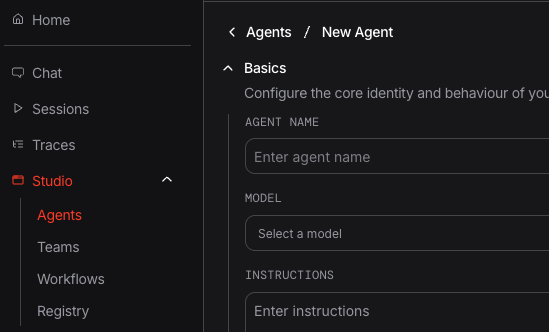
Create your agent, team, or workflow using the visual builder. Use tools, models, and knowledge bases from the Registry. Add instructions and configure the settings.
2. Save Draft or Publish Directly
- Save your work as a draft or publish directly. Drafts can be edited and updated. Drafts help you test your component before publishing it.
- Publish or draft multiple versions to checkpoint your progress.
3. Test
Once saved, test your draft or published version in the AgentOS UI:
-
Chat Page:
- Interact with your agent, team, or workflow in real time
- Run a specific version of the component by selecting it in the dropdown

-
View Traces: Inspect tool calls, model responses, and reasoning for each run
-
Debug Mode: Enable verbose logging to troubleshoot issues
Before publishing, test and make sure your agent handles edge cases and unexpected inputs gracefully.
4. Manage Versions
Access the full version history for any agent, team, or workflow:

Two actions are available on this page:
- Restore: open a draft for editing in Studio.
- Set Current: choose which published version the API serves.
Drafts are mutable: you can edit them in Studio and delete them. Published versions are immutable and undeletable. To change a published version, publish a new one. Only published versions can be set as current.
Use descriptive version labels like v1.2-improved-instructions or
before-refactor to make it easy to identify versions later.
Next Steps
| Task | Guide |
|---|---|
| Build an agent | Studio Agents |
| Create a workflow | Studio Workflows |
| Compose a team | Studio Teams |
| Set up the registry | Studio Registry |
| Browse component APIs | Components API reference |